Pensiamo che yandere69 sarà online in 17 hours 10 minutes. Caricamento dei più popolari nel frattempo

yandere69 Profile Image
yandere69's chat
    Collegamento
    + -
    • NOME: yandere69
    • ULTIMA VISTA: 2025-12-28
    • ETÀ: 25
    • SESSO: female
    • POSIZIONE: Skyrim
    • LINGUE: en
    • SEGUACI: 341665 persone che seguono yandere69

    DESCRIZIONE

    One of the things all the guys love is watching a smokin' hot teen getting wild in front of the camera. Whether she's just sitting there and talking or showing you some skin, it will please your needs. In this case, this young hottie loves teasing her fans by wearing sexy lingerie in all of her live shows, but that's not all you get to see.

    It might seem that this brunette cutie won't do much more than getting naked in her shows, she does offer you something extra. Like many other webcam models, this babe has a collection of HD videos that can please you more than her live shows. If you give her a tip that's big enough, you'll win a collection of her 40 HD videos where she gets pretty wild.

    Generare fan art

    Minuti online per ora

    (convertito nel vostro fuso orario - America/New_York)

    Simile Cam di sesso in diretta

    Attività giornaliera dell'ultimo mese

    • Sessioni totali:48
    • Sessioni private:12
    • Sessioni di chat gratuite:36
    • Giorni online:21
    • Tempo medio giornaliero:4h 30mins
    • La più lunga sessione di chat gratuita:7h 22mins
    • Tempo medio di chat gratuita:2h 38mins
    • Tempo totale di chat gratuita:3d 22h 15mins
    • La più lunga sessione di chat privata:56mins
    • Tempo medio di chat privata:29mins
    • Tempo totale di chat privata:5h 40mins
    • Ottobre Tempo totale: 3d 4h 45mins Tempo totale di chat gratuita: 3d 1h 8mins Tempo totale di chat privata: 3h 37mins
    • Novembre Tempo totale: 4d 3h 55mins Tempo totale di chat gratuita: 3d 22h 15mins Tempo totale di chat privata: 5h 40mins
    • December Tempo totale: 3d 6h 13mins Tempo totale di chat gratuita: 3d 1h 41mins Tempo totale di chat privata: 4h 32mins
    Come generare fan art

    Benvenuti nella nostra guida su come utilizzare la nuova ed entusiasmante funzione di Fan Art sul nostro sito web.

    Seguite i passaggi seguenti per iniziare

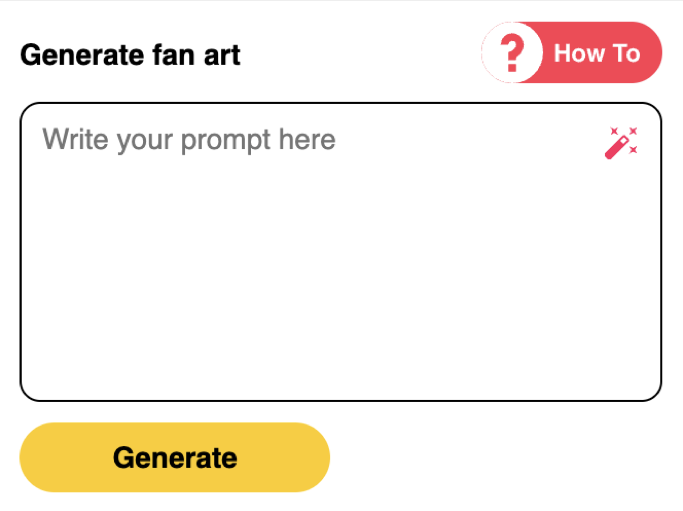
    1Scrivere il prompt o generare automaticamente

    Per iniziare, scrivere la richiesta desiderata per l'immagine che si vuole generare. Includendo più dettagli come il colore degli occhi e dei capelli, l'etnia, l'età, la posa, ecc. si otterranno risultati migliori. È anche possibile autogenerare utilizzando la nostra ultima funzione.

    Fan Art Step 1 Screenshot
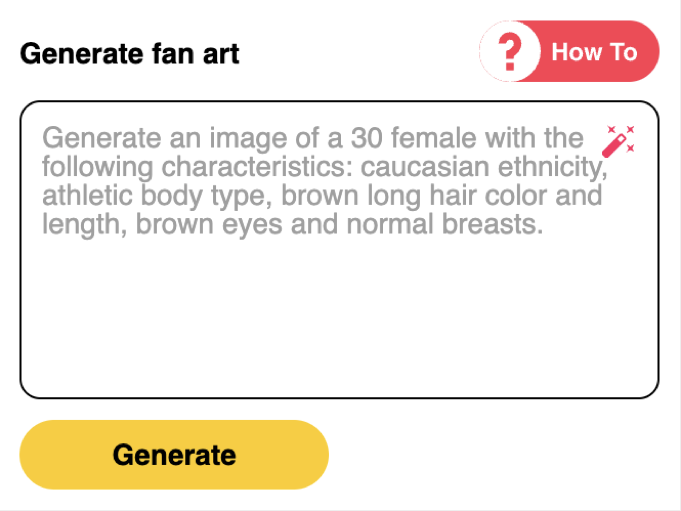
    2Inviare il prompt

    Una volta scritto il post, si può premere "Genera" per iniziare a generare l'immagine.

    Fan Art Step 2 Screenshot
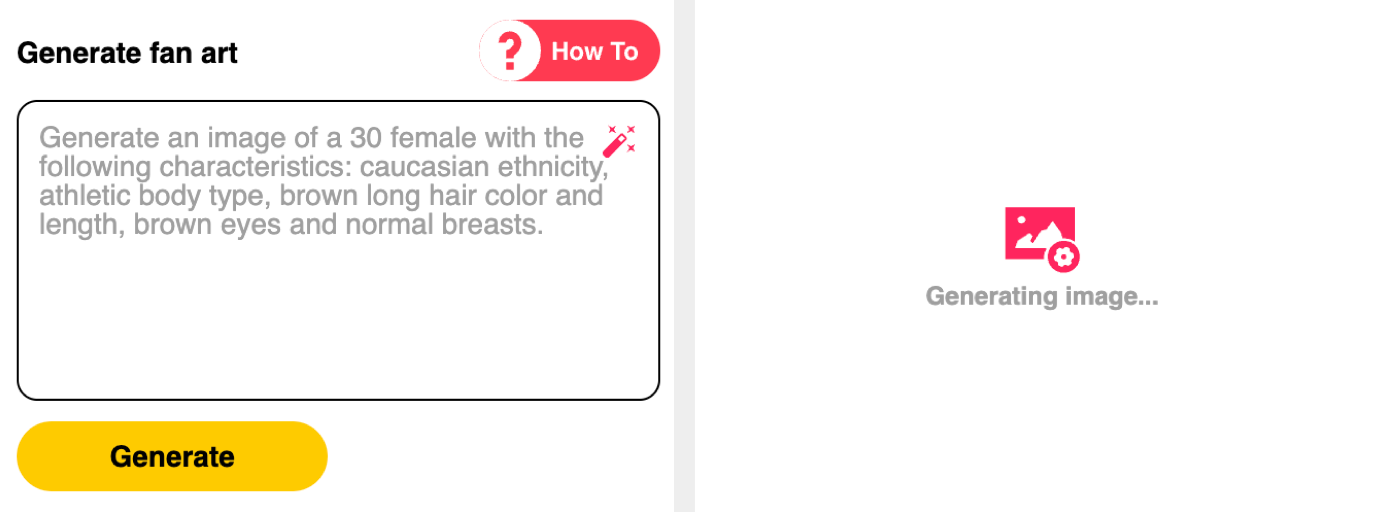
    3Generazione dell'immagine

    A seconda della richiesta e dell'utilizzo della rete, potrebbe essere necessario un minuto o poco più prima che venga generata l'immagine. Tenete duro!

    Fan Art Step 3 Screenshot
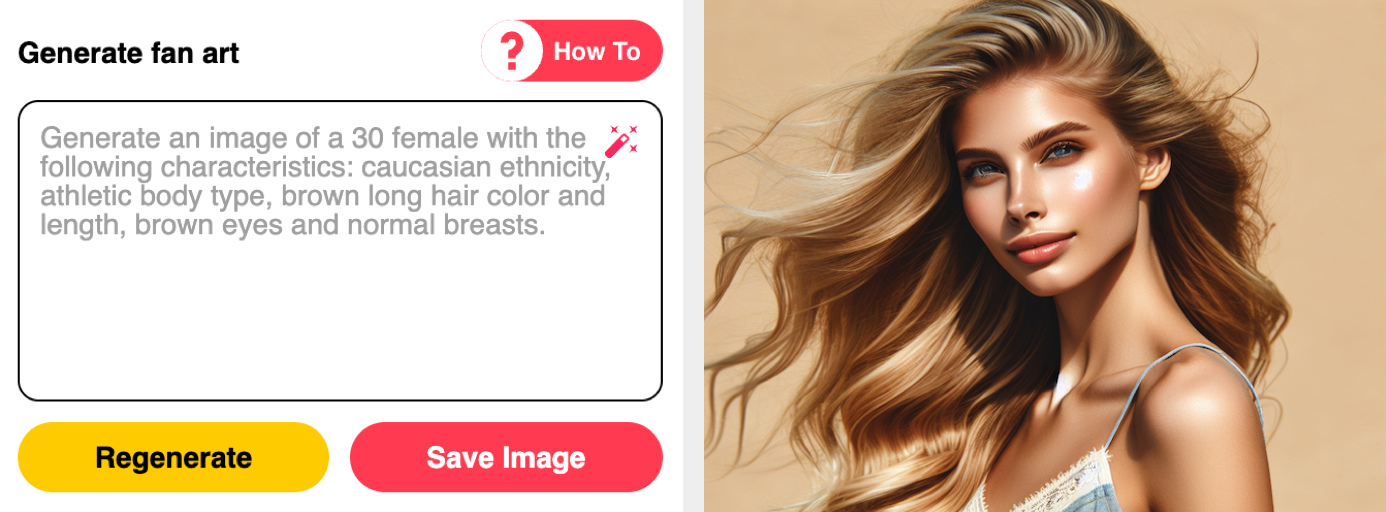
    4Salvare o rigenerare l'immagine

    Se si è soddisfatti dell'immagine generata, si può fare clic sul pulsante "Salva". Questa operazione aggiungerà l'immagine alla sezione fan art dei modelli. Se non si è soddisfatti del risultato, modificare la richiesta e fare nuovamente clic su "Rigenera" per iniziare a generare una nuova immagine.

    Fan Art Step 4 Screenshot

    Suggerimenti:

    • Alcune parole possono violare i nostri termini, in tal caso si prega di modificare la richiesta o di rimuovere le parole che violano.

    Ecco fatto! Avete imparato con successo a generare Fan Art. Buon divertimento!

    Back
    Camme in diretta
    Quick Links